Semiconductor / Hardware Tech
Semiconductor
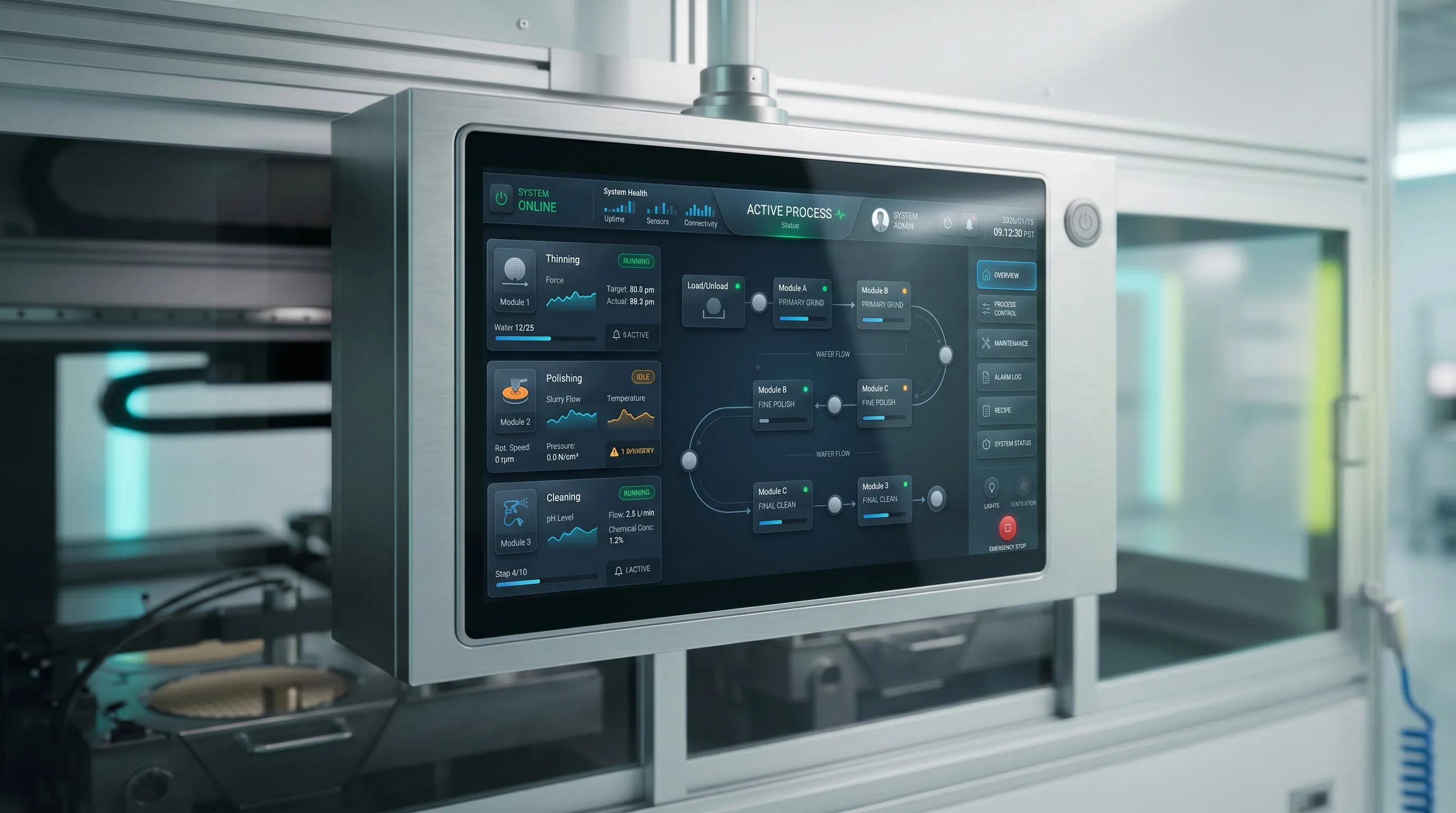
The HMI passed hardware validation and keeps machine logic in sync with what operators see and do on screen.
- HMI / UX/UI Design
Designed a construction platform that brings five stakeholder roles into one shared system across web and mobile.
[01]IMPACT & SUMMARY_
FIVE DISCONNECTED WORKFLOWS. ONE UNIFIED PLATFORM.
Clients, architects, engineers, contractors, and agents
One shared platform across both experiences
Clients, architects, engineers, contractors, and agents
One shared platform across both experiences
Five roles use the same project, but each one sees it differently. Clients care about progress and budget, architects focus on drawings and revisions, and contractors think in schedules and bids.
My job was to design a structure where all of them could work from the same data, without feeling like they were stuck inside someone else’s workflow.
Executive Summary
[02]THE PROBLEM_
In construction, “the project” is not one thing. An architect thinks in drawings and versions. A client thinks in contracts and payments. A contractor thinks in tasks, people, and materials. Forcing all of them into the same interface is a recipe for overload.
The core problem was simple to say and hard to solve: build one platform that feels natural for each role, without fragmenting the system behind it.
[03]DISCOVERY & APPROACH_
This was a strict enterprise project, so I didn’t have direct access to on-site contractors or busy clients. Most of my understanding came from internal subject-matter experts and existing tools.
I ran structured walkthroughs with these internal stakeholders to map out what each role absolutely needed to do, then turned that into flows and screens. Along the way, I kept a single data map so we could see which information was shared and which was role-specific.
[04]THE SOLUTION_
Each role gets only what they need: clients see progress and milestones, architects manage drawings and revisions, contractors handle bids and day-to-day work.
When an engineer updates a drawing, the contractor’s mobile view reflects it automatically. No more “Which version is the latest?” emails.
I built a set of components that could serve both web and mobile, so the team didn’t have to reinvent screens for each role or device.
Each role gets only what they need: clients see progress and milestones, architects manage drawings and revisions, contractors handle bids and day-to-day work.
When an engineer updates a drawing, the contractor’s mobile view reflects it automatically. No more “Which version is the latest?” emails.
I built a set of components that could serve both web and mobile, so the team didn’t have to reinvent screens for each role or device.
[05]Reflection_
This project made it clear how different “the same project” looks to five different roles. The hardest part wasn’t UI, it was agreeing on what should be shared and what should stay role-specific.
In an outsourced enterprise setup, I had to rely heavily on internal experts instead of direct user time, so keeping a single, honest data map was the only way to stay sane.
If I had more access and time, I’d want to validate more directly with on-site users and measure more clearly what changed before and after launch.